Slideshow Software Free Download

What Exactly Constitutes Slideshow Software?

Welcome to the comprehensive guide on slideshow software!
In this guidebook, we’ll delve into the millennium of slideshow software, exploring its purpose, features, and how it can revolutionize your presentations. Firstly, let’s address the fundamental question: What is slideshow software? Slideshow software is a digital tool designed to create dynamic presentations by compiling various media elements such as images, videos, text, and audio into a cohesive and visually engaging format. Gone are the days of static presentations; with slideshow software, you can captivate your audience with seamless transitions, multimedia integration, and customizable designs.

One of the primary advantages of slideshow software is its versatility. If you’re a student delivering a class presentation, a business professional pitching a proposal, or a photographer showcasing your portfolio, slideshow software offers endless possibilities for creativity and expression. You can tailor your presentation to suit any occasion or audience, from professional settings to personal projects.

Now, let’s explore some key features commonly found in slideshow software:

  • Multimedia Integration: Slideshow software allows you to incorporate various media types, including images, videos, audio files, and even animations, into your presentations. This multimedia approach adds depth and richness to your content, making it more engaging and memorable.
  • Customizable Templates: Most slideshow software offers a range of pre-designed templates and themes to choose from. These templates provide a foundation for your presentation, allowing you to focus on content creation without worrying about design elements. Additionally, many software packages allow for extensive customization, enabling you to tailor the look and feel of your presentation to your specific preferences.
  • Transition Effects: Transition effects are the visual animations that occur between slides. Slideshow software offers a variety of transition options, from simple fades to more elaborate effects like flips and slides. These transitions help maintain audience interest and create a seamless flow between slides.
  • Collaboration Tools: Many slideshow software platforms include collaboration features that enable multiple users to work on the same presentation simultaneously. This is particularly useful for team projects or remote collaboration, allowing team members to contribute ideas and edits in real-time.
  • Export and Sharing Options: Once your presentation is complete, slideshow software makes it easy to share your work with others. You can export your presentation in various file formats, such as PDF or PowerPoint, or share it directly via email, social media, or cloud storage platforms.

Slideshow software is a versatile and powerful tool for creating dynamic presentations across a wide range of contexts. In Case of you’re a student, professional, or creative enthusiast, incorporating slideshow tool into your workflow can elevate your presentations to new heights of effectiveness and engagement. So why wait? Start exploring the generation of slideshow software recent and unlock your full creative potential!

The Advantages of Utilizing Slideshow Software

Six Compelling Reasons to Utilize Slideshow Software

  1. Enhanced Visual Appeal: The software allows you to create visually stunning presentations that capture your audience’s attention. With customizable templates, sleek designs, and dynamic transitions, you can elevate your content to a professional standard. Then you’re showcasing data, photos, or videos, the visual appeal of your presentation is sure to leave a lasting impression.
  2. Increased Engagement: Interactive features such as animations, audio, and video integration make your presentations more engaging and memorable. Slideshow software enables you to captivate your audience by incorporating multimedia elements that stimulate multiple senses. This heightened engagement encourages active participation and improves information retention among your viewers.
  3. Time Efficiency: Creating presentations with slideshow software is a time-efficient process. Pre-designed templates provide a framework for your content, reducing the need to start from scratch. Additionally, features like drag-and-drop functionality and auto-formatting streamline the creation process, allowing you to focus on crafting compelling content rather than wrestling with design elements.
  4. Versatility Across Platforms: Slideshow software offers compatibility across various platforms, including desktop computers, laptops, tablets, and smartphones. This versatility ensures that your presentations can be accessed and viewed by a wide audience, regardless of their preferred device or operating system. Even if you’re presenting in a boardroom, classroom, or virtual environment, slideshow software ensures seamless accessibility.
  5. Collaborative Capabilities: Many slideshow software platforms include collaborative features that facilitate teamwork and communication. Multiple users can work on the same presentation simultaneously, making it easy to share ideas, provide feedback, and track changes in real-time. This collaborative approach fosters creativity and productivity, enabling teams to create polished presentations efficiently.
  6. Effortless Sharing and Distribution: Once your presentation is complete, slideshow software simplifies the sharing and distribution process. You can export your presentation in various file formats, such as PDF or PowerPoint, making it compatible with different software applications. Additionally, built-in sharing options allow you to share your presentation via email, social media, or cloud storage platforms, ensuring seamless dissemination to your intended audience.

Slideshow software offers a plethora of benefits that enhance the quality, efficiency, and impact of your presentations. From visually captivating designs to collaborative capabilities and child’s play sharing, the advantages of utilizing slideshow program are undeniable. If you’re a student, professional, or educator, incorporating slideshow software into your workflow empowers you to create compelling presentations that inform, inspire, and engage your audience.

Beginning Your Journey with Slideshow Software Illustrated through an Example

In this comprehensive guide, we’ll walk you through the process of getting started with slideshow software, using a special function as our guiding example. So, let’s dive in and discharge your creativity!
Before you can embark on your slideshow journey, you’ll need to install your chosen software and complete the setup process. This typically involves downloading the software from a reputable source and following the on-screen instructions to install it on your device. Once installed, take some time to explore the user interface and familiarize yourself with the various tools and features available. With your slideshow software installed and ready to go, it’s time to create your first presentation. Begin by selecting a new project or presentation template from the software’s menu. Then, let your imagination run wild as you choose the layout, color scheme, and design elements that best suit your content.

Now comes the fun part – adding content to your presentation! In Case of you’re showcasing photos from your latest vacation, sharing data from a recent project, or presenting ideas for a new business venture, slideshow software makes it easy to incorporate various media types. Simply drag and drop your images, videos, text boxes, and other elements onto the slides, arranging them in a visually appealing manner. As promised, let’s explore a special function offered by many programs – animation. Animation allows you to bring your slides to life by adding movement and visual interest. For example, you can animate text to appear gradually, create transitions between slides, or add dynamic effects to images and graphics.

To utilize animation in your presentation, simply select the element you wish to animate and choose the desired animation effect from the software’s menu. You can customize the speed, duration, and style of the animation to suit your preferences. Experiment with different effects until you achieve the desired look and feel for your presentation. Once you’ve added content and incorporated special effects like animation, take a moment to preview your presentation. This allows you to see how your slides flow together and make any necessary adjustments or fine-tuning. Pay attention to the pacing, transitions, and overall visual appeal of your presentation, ensuring that it effectively communicates your message to your audience. With your presentation polished and perfected, it’s time to add any final touches and prepare for sharing. Consider adding speaker notes, annotations, or additional slides to enhance the clarity and impact of your presentation. Then, when you’re ready, save your project and explore the various sharing options offered by your slideshow software. Then you choose to share your presentation via email, social media, or a cloud storage platform, ensure that it reaches your intended audience and leaves a lasting impression.

By following the steps outlined in this guide and exploring special functions like animation, you can create compelling presentations that inform, inspire, and captivate your audience. So, what are you waiting for? Dive into the days of slideshow software present and release your full creative potential!

What Constitutes the Top Slideshow Software?

Whether you’re a student preparing a class presentation, a business professional delivering a pitch, or a photographer showcasing your portfolio, finding the right slideshow software can make all the difference.
In this comprehensive guide, we’ll explore what makes a slideshow software the best choice for various user groups, helping you make an informed decision that meets your specific needs. For students, the best software is one that strikes a balance between ease of use and creative potential. Style for software that offers intuitive features, pre-designed templates, and seamless integration with multimedia elements. Accessibility across different devices and compatibility with popular file formats are also essential for collaborating with classmates and submitting assignments hassle-free.

Business professionals require slideshow software that exudes professionalism, sophistication, and efficiency. The best software for this user group offers advanced features such as customizable templates, data visualization tools, and seamless integration with business applications like Microsoft Office. Look for software that facilitates collaboration, allows for seamless sharing and distribution, and supports seamless transitions to ensure a polished presentation every time. Photographers and creatives demand a program that showcases their work in the best possible light. The best software for this user group should offer robust editing tools, high-resolution output, and customizable design options to bring their vision to life. Features like animation, audio integration, and advanced effects are also crucial for creating visually stunning presentations that leave a lasting impression on clients and audiences.

Educators require slideshow software that enhances the learning experience and engages students effectively. The best software for educators offers a user-friendly interface, interactive features, and compatibility with educational platforms like Google Classroom. Style for software that supports multimedia integration, facilitates collaborative projects, and allows for easy assessment and feedback to encourage student participation and comprehension. Event planners and marketers need a tool that captures attention, drives engagement, and promotes their message effectively. The best software for this user group offers customizable branding options, advanced analytics, and integration with social media platforms. Look for software that supports multimedia content, offers interactive features like polls and surveys, and provides robust tracking and reporting capabilities to measure the success of your presentations and campaigns.

In conclusion, the best slideshow software varies depending on the specific needs and preferences of different user groups. By considering factors such as ease of use, creative potential, collaboration features, and compatibility with existing workflows, you can find the perfect software that elevates your presentations and achieves your objectives. So, take your time to explore your options, experiment with different software solutions, and choose the best slideshow software that aligns with your goals and aspirations.

The Best Manage Photos Software – Review Team

Our Review Team Rates the Best Manage Photos Software
With the proliferation of smartphones and digital cameras, we capture countless memories that deserve to be preserved, sorted, and cherished. This has given rise to a multitude of manage photos software options designed to simplify the task of organizing, editing, and sharing our precious images. To help you navigate the sea of choices, our dedicated review team embarked on a comprehensive manage photos software test and comparison. In this in-depth exploration, we will unveil the top contenders and guide you toward the perfect software for your photo management needs.

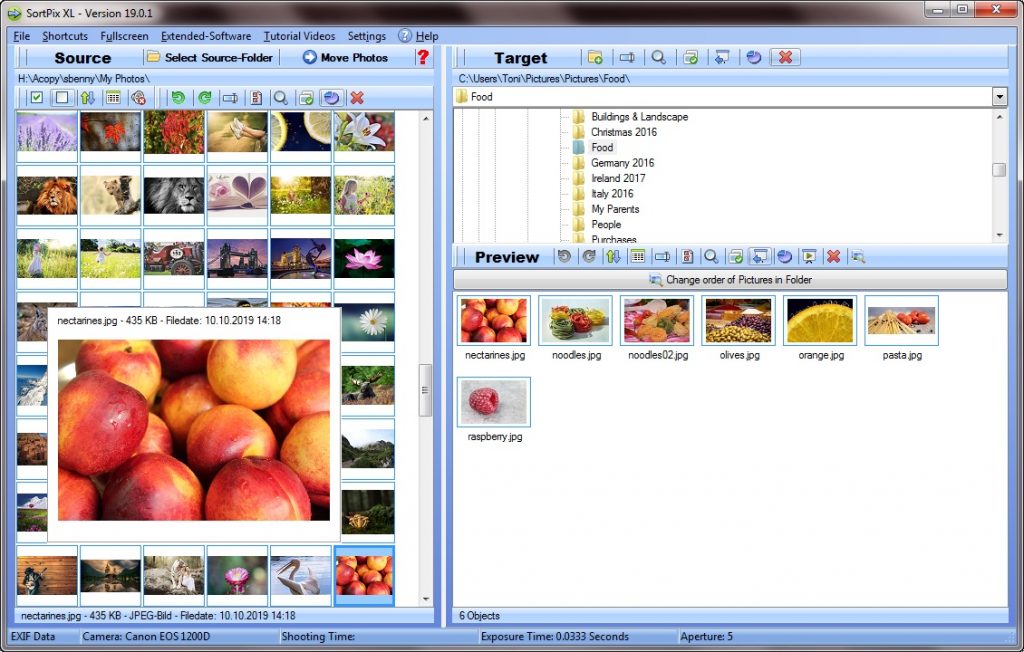
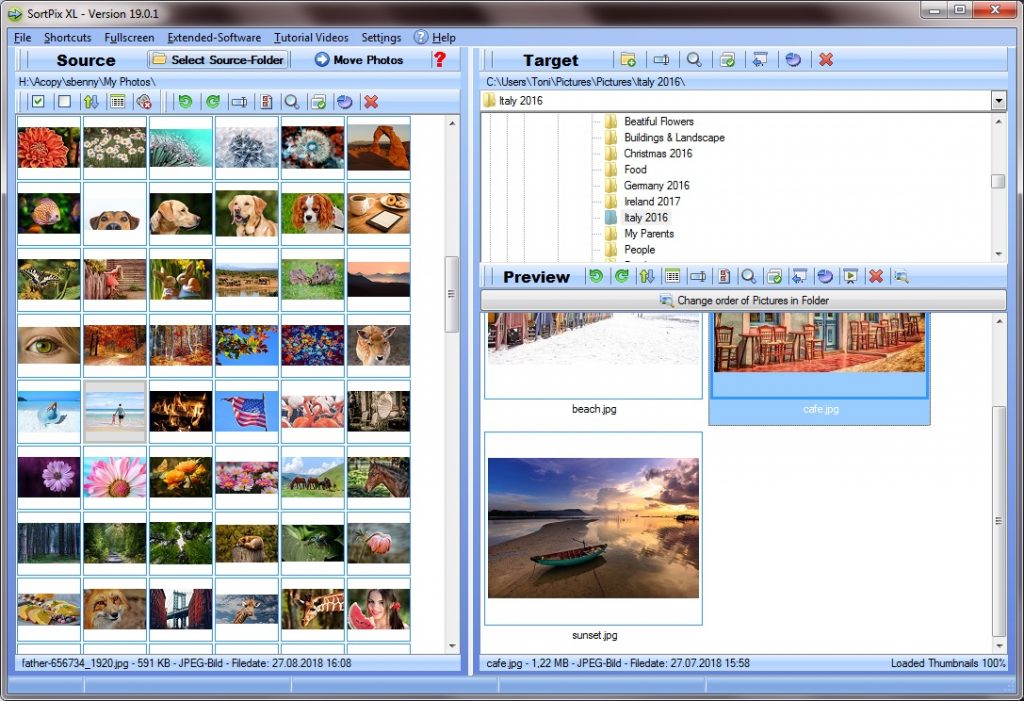
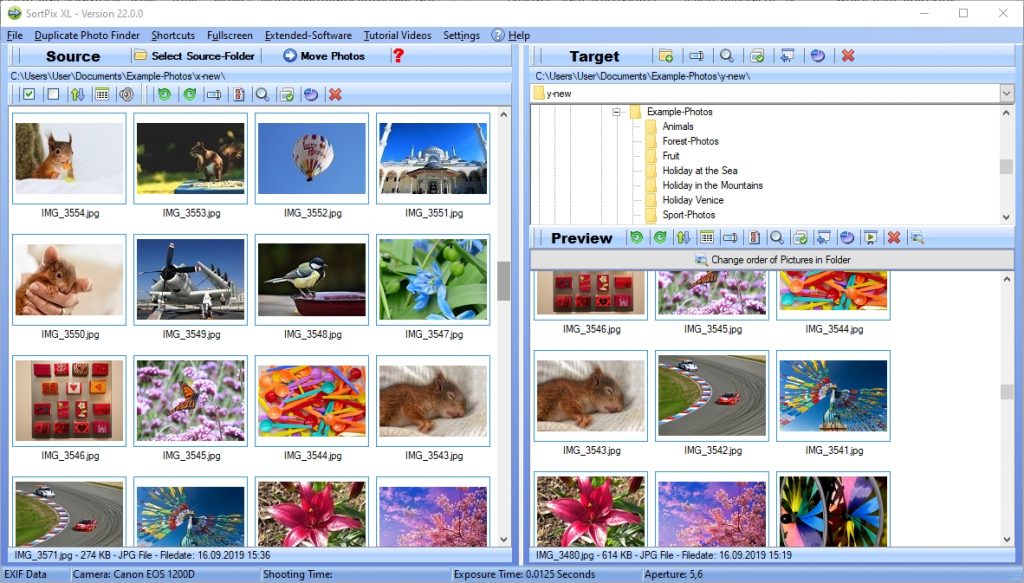
SortPix XL

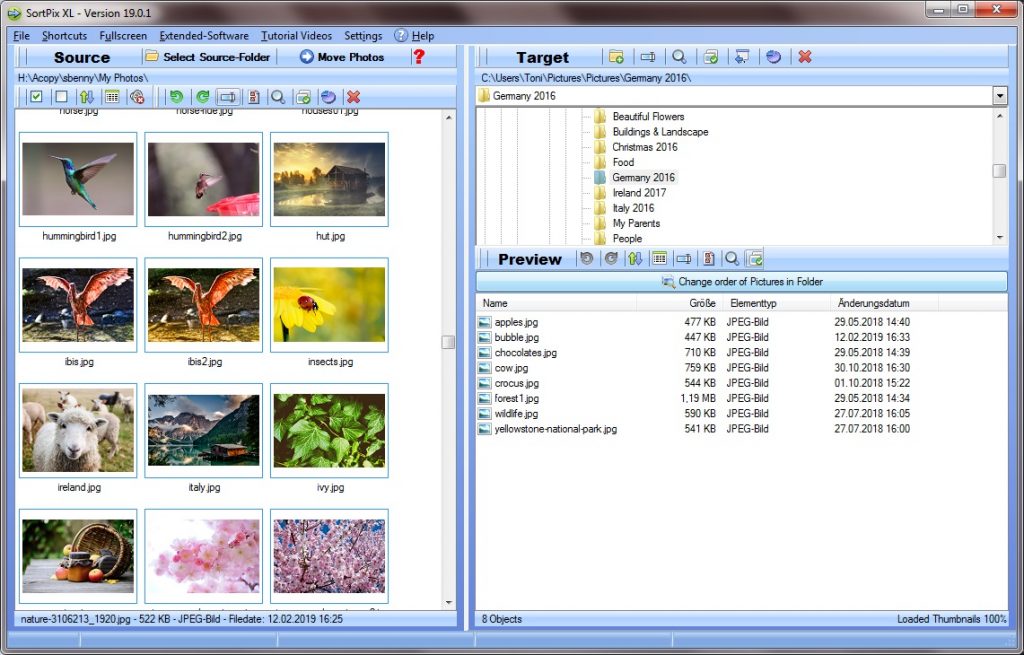
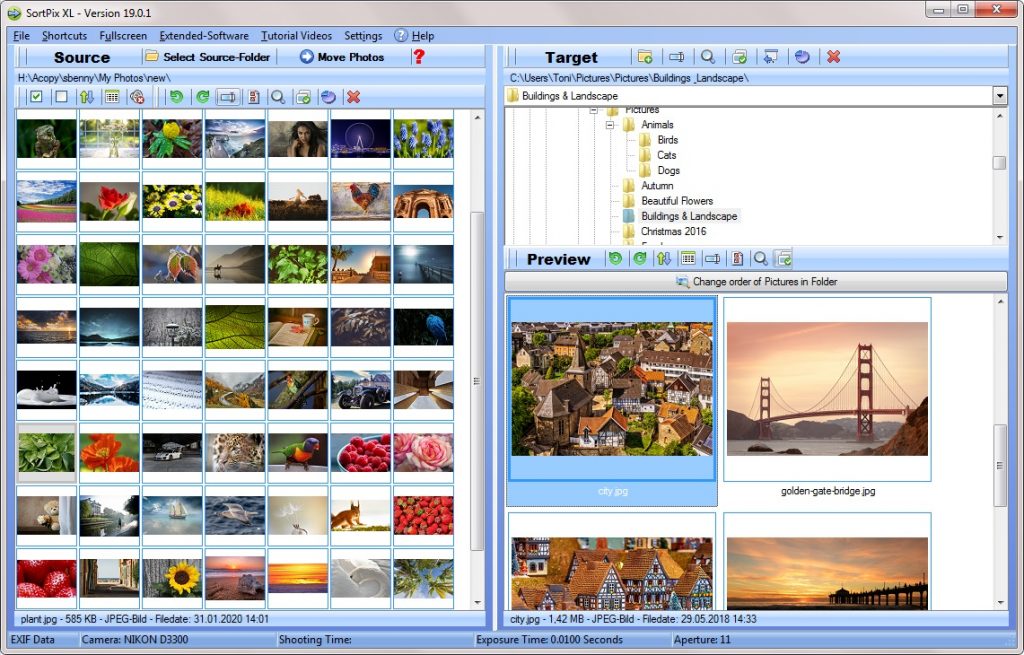
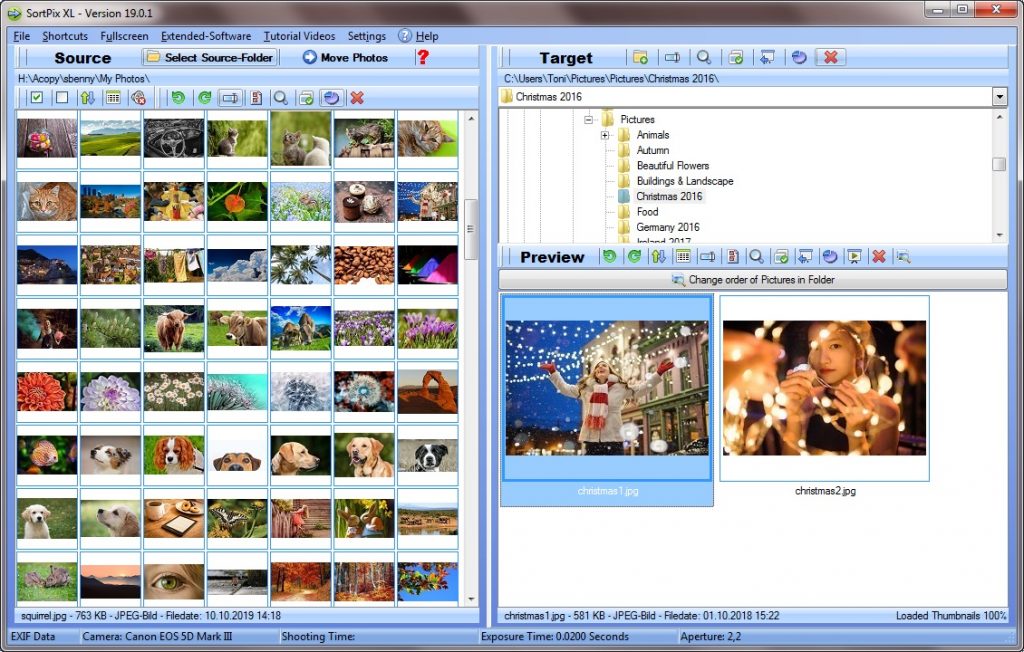
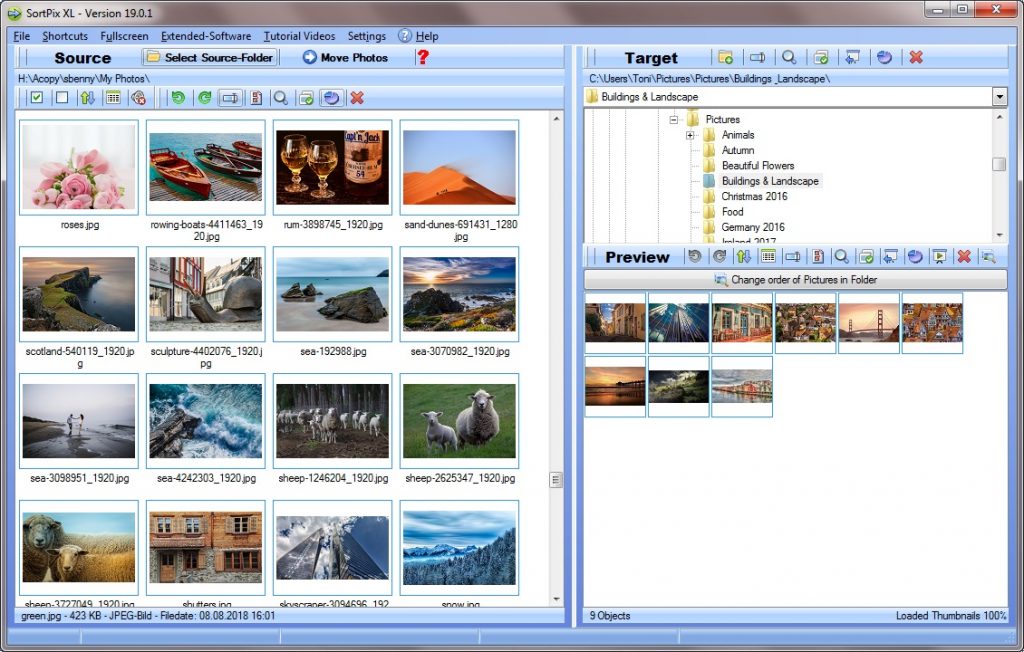
SortPix XL is a user-friendly manage photos software designed to simplify the process of organizing, sorting, and managing digital image collections. It offers a range of features aimed at helping users efficiently manage their photos.

Key Features:

  • Efficient Photo Organization: SortPix XL manage photos software provides tools for easy photo organization, allowing users to categorize and rename photos for quick retrieval.
  • Duplicate Photo Finder: This software includes a duplicate photo finder tool to help users identify and remove duplicate images, freeing up valuable storage space.
  • Batch Editing: SortPix XL allows users to apply batch edits to multiple photos simultaneously, streamlining the editing process.
  • Slide Show Creation: Users can create dynamic photo slideshows with various transition effects, ideal for sharing memories with friends and family.

Advantages:

  • User-friendly interface, suitable for beginners.
  • Efficient organization and sorting tools.
  • Duplicate photo finder helps free up storage space.
  • Batch editing simplifies photo enhancements.
  • Slide show creation for easy sharing.
  • Affordable pricing.

Disadvantages:

  • Limited advanced editing features compared to dedicated editing software.
  • May not be suitable for professional photographers seeking extensive editing capabilities.
  • Less cross-platform compatibility compared to some other software.

SortPix XL is an excellent choice for users seeking a straightforward and user-friendly solution for managing their photo collections. Its emphasis on organization, duplicate photo removal, and batch editing makes it a practical option for those who value efficiency and simplicity in managing their digital images. While it may not offer the advanced editing features of dedicated editing software, it serves as a valuable tool for efficient photo management and organization, particularly for non-professional users.

ACDSee Photo Studio Professional

ACDSee Photo Studio Professional is a powerful and versatile manage photos software designed to meet the needs of both amateur and professional photographers. With its comprehensive suite of features, it enables users to organize, edit, and share their photo collections effortlessly.

Key Features:

  • Advanced Manage Photos Software: ACDSee offers robust photo organization tools, allowing users to sort, categorize, and tag their images for easy retrieval.
  • Professional-Grade Editing: This software boasts a wide range of editing tools, from basic adjustments to advanced filters and effects, making it a favorite among photographers seeking creative control.
  • Efficient Workflow: ACDSee’s user-friendly interface and efficient workflow management streamline the photo editing and management process.

Advantages:

  • Powerful photo editing capabilities.
  • Comprehensive organization features.
  • Support for a wide range of image formats.
  • Efficient batch processing for large photo collections.
  • Robust import/export options.
  • Advanced keyword tagging and search functionality.

Disadvantages:

  • Premium pricing.
  • Some features may have a steeper learning curve for beginners.
  • Lacks cloud storage integration.

ACDSee Photo Studio Professional is an exceptional manage photos software for users who prioritize advanced editing features and robust organization tools. While it may have a higher price point, its extensive capabilities make it a worthwhile investment for photographers, professionals, and enthusiasts alike.

Smart Pix Manager

Smart Pix Manager is a user-friendly and feature-rich manage photos software designed to simplify the task of organizing and managing digital image collections.

Key Features:

  • Intuitive Manage Photos Software: Smart Pix Manager offers an intuitive interface for easy photo organization, including categorization and tagging.
  • Efficient Search: Users can quickly locate photos using keywords, metadata, and custom filters.
  • Slide Show Creation: This software enables the creation of dynamic photo slideshows with various transition effects.

Advantages:

  • User-friendly interface, suitable for beginners.
  • Quick and efficient photo organization.
  • Slide show creation and sharing options.
  • Robust search capabilities.
  • Thumbnail view for easy navigation.

Disadvantages:

  • Limited advanced editing features.
  • Lacks cloud storage integration.
  • May not be suitable for professional photographers seeking advanced editing tools.

Smart Pix Manager excels in user-friendliness and efficient organization, making it an excellent choice for individuals looking for straightforward photo management. However, it may not be the ideal choice for those seeking advanced photo editing capabilities.

Magix Photo Manager Deluxe

Magix Photo Manager Deluxe is a comprehensive manage photos software that caters to the needs of users looking for both organization and editing features.

Key Features:

  • Efficient Manage Photos Software: This software offers smart organization tools, including facial recognition and automatic categorization.
  • Creative Editing Tools: Magix Photo Manager Deluxe provides a range of editing tools, including color correction, retouching, and special effects.
  • Slideshow Creation: Users can create engaging photo slideshows with music and transitions.

Advantages:

  • Effective facial recognition and automatic tagging.
  • Comprehensive photo editing capabilities.
  • Slideshow creation with multimedia support.
  • Integration with cloud storage services.
  • User-friendly interface.

Disadvantages:

  • May require a learning curve for beginners.
  • Some advanced features may not be as intuitive.
  • License cost associated.

Magix Photo Manager Deluxe impresses with its combination of robust organization and powerful editing tools. It’s an excellent choice for users seeking a balance between efficient photo management and creative editing capabilities.

DigiKam Photo Manager

DigiKam Photo Manager is an open-source, cross-platform manage photos software and editing software designed to provide users with powerful tools for organizing, editing, and sharing their digital image collections.

Key Features:

  • Advanced Photo Organization: DigiKam offers comprehensive tagging, labeling, and categorization options, making it easy to manage even extensive photo libraries.
  • Extensive Editing Capabilities: This software includes a wide range of editing tools, including basic adjustments, advanced filters, and even support for RAW image editing.
  • Integration with KDE: DigiKam is part of the KDE ecosystem, ensuring seamless integration with other KDE applications and the Linux desktop environment.

Advantages:

  • Open-source and free to use.
  • Advanced organization and tagging options.
  • Robust editing capabilities.
  • Cross-platform compatibility.
  • Support for various image formats.
  • Active community and regular updates.

Disadvantages:

  • Steeper learning curve for beginners.
  • May not have as user-friendly an interface as some commercial software.
  • Limited cloud integration options.

DigiKam Photo Manager stands out as a versatile and feature-rich open-source solution for photo management and editing. While it may require some familiarity with its interface and features, it offers an impressive range of tools for users seeking powerful photo organization and editing capabilities.

Zoner Photo Studio X

Zoner Photo Studio X is a comprehensive manage photos software designed to cater to the needs of both amateur and professional photographers.

Key Features:

  • Top Manage Photos Software: Zoner Photo Studio X offers robust organization features, including automatic keyword tagging and GPS location tracking.
  • Professional-Grade Editing Tools: Users can access a wide range of advanced editing features, including layer support, HDR editing, and retouching.
  • Seamless Workflow: This software provides a user-friendly interface with a streamlined workflow, making it easy to organize, edit, and share photos.

Advantages:

  • Comprehensive organization features.
  • Professional-level editing capabilities.
  • User-friendly interface.
  • Regular updates and improvements.
  • Wide range of export and sharing options.
  • 30-day free trial available.

Disadvantages:

  • Premium pricing.
  • Some advanced features may be complex for beginners.
  • Limited cloud storage integration options.

Zoner Photo Studio X excels in providing a balanced package of powerful photo organization and advanced editing capabilities. It’s an excellent choice for photographers who demand professional-level tools and efficiency in their workflow.

Faststone Image Viewer

Faststone Image Viewer is a lightweight and fast manage photos software primarily known for its image viewing capabilities. However, it also offers a range of useful features for managing and editing digital images.

Key Features:

  • Efficient Image Viewing: Faststone’s image viewing mode provides quick and responsive navigation through large photo collections.
  • Basic Editing Tools: Users can perform basic edits like cropping, resizing, and adjusting colors.
  • Slideshow Creation: The software allows for the creation of simple photo slideshows.

Advantages:

  • Lightweight and fast image viewing.
  • Free for personal use.
  • Basic editing tools for quick adjustments.
  • Slideshow creation with transition effects.
  • Portable version available.

Disadvantages:

  • Limited advanced editing features.
  • Lacks the comprehensive organization capabilities of other software.
  • No official support for macOS or Linux.

Faststone Image Viewer is an excellent choice for users seeking a lightweight and free solution primarily for image viewing and basic editing tasks. While it may not offer the advanced features of other software, it excels in its simplicity and speed when it comes to quickly viewing and making minor edits to your image collection.

Google Photos

Google Photos is a widely-used cloud-based manage photos software and storage service. With Google Photos, you can effortlessly back up your photos and videos, organize them, and access them from any device with an internet connection.

Key Features:

  • Free Storage: Google Photos offers free cloud storage for photos and videos, with an option for high-quality compression to save space.
  • Smart Organization: The software uses AI to automatically categorize and tag your photos, making it easy to search and browse through your collection.
  • Easy Sharing: Google Photos allows you to share photos and albums with friends and family, even if they don’t use the service.

Advantages:

  • Generous free storage space.
  • Seamless integration with Google services.
  • Smart organization and search features.
  • Cross-platform compatibility.
  • Easy sharing and collaborative album creation.
  • Automatic photo and video backup.

Disadvantages:

  • Compression of high-quality photos and videos may affect quality.
  • Limited advanced editing features compared to dedicated editing software.
  • Privacy concerns related to cloud storage.

Google Photos is a superb choice for users seeking convenient cloud-based photo storage, smart organization, and easy sharing options. While it may not offer the advanced editing capabilities of some other software, its seamless integration with Google services and generous free storage make it a compelling option.

Canto Song

Canto Song is a digital asset management (DAM) platform that specializes in organizing and managing photos, videos, and other digital assets for businesses and creative teams.

Key Features:

  • Centralized Asset Management: Canto Song provides a centralized hub for storing, organizing, and sharing digital assets within teams and organizations.
  • Customizable Metadata: Users can add custom metadata, keywords, and tags to assets for efficient search and retrieval.
  • Collaborative Workflows: The software enables collaboration by allowing teams to review, comment on, and approve assets.

Advantages:

  • Ideal for business and team use.
  • Robust asset management and organization capabilities.
  • Customizable metadata and tagging.
  • Collaborative features for teams.
  • Access control and permissions.

Disadvantages:

  • May be overkill for individual users.
  • Pricing is typically tailored for businesses and may be higher for smaller teams or individuals.
  • Less focus on photo editing and enhancement.

Canto Song is a top-notch digital asset management solution designed for businesses and creative teams that need efficient asset organization, collaboration, and control. While it may not be the ideal choice for individual users or those seeking advanced photo editing, it excels in its intended use case.

Adobe Lightroom

Adobe Lightroom is a renowned manage photos software and image editing software designed for both amateur and professional photographers. It offers a range of powerful tools for organizing and enhancing photos.

Key Features:

  • Advanced Photo Editing: Adobe Lightroom provides a comprehensive suite of editing tools, including non-destructive edits, presets, and powerful retouching features.
  • Efficient Organization: Users can organize photos into collections, apply keywords, and use advanced filtering options for easy retrieval.
  • Integration with Adobe Ecosystem: Adobe Lightroom seamlessly integrates with Adobe Creative Cloud, enabling users to sync and edit photos across multiple devices.

Advantages:

  • Professional-grade photo editing capabilities.
  • Efficient organization and search options.
  • Integration with Adobe Creative Cloud.
  • Wide range of export and sharing options.
  • Regular updates and improvements.
  • Vast library of user-created presets.

Disadvantages:

  • Premium pricing.
  • Steeper learning curve for beginners.
  • Requires a subscription for access to the latest features and updates.

Adobe Lightroom is the go-to choice for photographers who demand professional-grade editing and efficient photo organization. While it may come with a price tag, its feature-rich editing capabilities and seamless integration with the Adobe ecosystem make it a top contender in the manage photos software category.

Apple Photos

Apple Photos is an integrated photo management and editing application designed exclusively for Apple users. It offers a user-friendly interface and seamless integration with macOS and iOS devices.

Key Features:

  • Effortless Integration: Apple Photos seamlessly integrates with Apple’s ecosystem, making it easy to access and edit photos across all Apple devices.
  • User-Friendly Interface: The software provides a simple and intuitive interface, making it accessible to users of all levels.
  • Basic Editing Tools: Apple Photos offers basic photo editing features, including cropping, color adjustments, and filters.

Advantages:

  • Seamless integration with Apple devices.
  • User-friendly interface.
  • Basic editing tools for quick adjustments.
  • Easy sharing with iCloud Photo Sharing.
  • Efficient organization through albums and smart albums.

Disadvantages:

  • Limited advanced editing features compared to dedicated editing software.
  • Exclusive to Apple users.
  • Less cross-platform compatibility.

Apple Photos is an excellent choice for Apple users seeking a user-friendly and integrated photo management solution. While it may not offer the advanced editing capabilities of some other software, its seamless integration with the Apple ecosystem makes it a convenient option for managing and sharing photos across Apple devices.

The Procedure for Our Manage Photos Software Test

At our reviews, we take our responsibilities seriously when evaluating and comparing manage photos software. Our goal is to provide comprehensive, unbiased, and informative assessments to help you make an informed decision. Here’s an insight into the procedure we follow for our manage photos software test:

Research and Selection: We begin by researching and identifying a wide range of manage photos software available in the market. Our selection process involves considering factors like user popularity, features, and relevance to the intended audience.

Testing and Evaluation: We rigorously test each selected software to assess its performance across various key aspects. These include user-friendliness, photo organization capabilities, editing tools, compatibility with different devices and operating systems, and customer support responsiveness.

Comparison: We compare the software based on predefined parameters, ensuring a fair and objective evaluation. Our aim is to highlight the strengths and weaknesses of each software, helping you understand which one aligns best with your specific needs.

User Feedback: We value real user experiences and feedback. To gain insights into user satisfaction, we take into account user reviews and testimonials, ensuring a well-rounded perspective.

Result Compilation: After thorough testing and analysis, we compile our findings into detailed reviews, complete with product descriptions, lists of advantages and disadvantages, and concluding remarks for each software.

Publication: Our reviews are published on our platform, ensuring easy access to the information you need to make an informed choice.

Continual Updates: We are committed to providing up-to-date information. While our review process is extensive, the software landscape evolves, and we strive to keep our reviews current with regular updates.

Which Is the Best Manage Photos Software?

Determining the best manage photos software is not a one-size-fits-all proposition.
The ideal choice depends on your unique requirements, preferences, and objectives. Each software we review offers distinct features and strengths, making them suitable for different user profiles. For those seeking advanced photo editing capabilities, Adobe Lightroom often emerges as a top choice. Its professional-grade editing tools and integration with Adobe Creative Cloud make it a powerful tool for photographers. Google Photos is an excellent option for those who prioritize cloud storage and seamless integration with Google services. It offers smart organization features and generous free storage space.

Businesses and creative teams looking for efficient asset management often turn to Canto Song, which excels in organizing and sharing digital assets within teams. Apple users may find Apple Photos to be the most convenient choice due to its seamless integration with macOS and iOS devices. Ultimately, the best manage photos software is the one that aligns most closely with your specific needs, whether that’s advanced editing, cloud storage, collaboration features, or user-friendliness.

Conclusion to Manage Photos Software

In summary, our manage photos software reviews are conducted with a meticulous process that includes research, testing, comparison, user feedback analysis, and publication of detailed reviews. We aim to provide you with the information you need to make an informed decision when choosing manage photos software.

The best manage photos software varies based on individual needs and preferences.
Adobe Lightroom, Google Photos, Canto Song, and Apple Photos each offer unique strengths and cater to different user profiles. It’s essential to consider your specific requirements and priorities when selecting the software that suits you best.

Disclaimer:
Our reviews and assessments of manage photos software are intended to provide information and insights to assist users in making informed decisions. While we strive for accuracy and objectivity, software performance and features may change over time. Therefore, we recommend verifying details and checking for updates directly from the software providers before making a final decision. We are not responsible for any changes, inaccuracies, or discrepancies in software features, pricing, or availability. Users should exercise their discretion and consider their unique needs when selecting manage photos software.

Best Photo Organizing Software with Many Good Gadgets

Photo organizing software is created to allow people to catalog and manage their photographs, generally utilizing the objective of promptly situating one during a certain event
Additionally, various free app downloads are readily available as well as powerful features constructed into the tool such as archive images, look for duplicate photos or relabel images. Customers typically create directories and sub-folders to structure their pictures and lots of programs have search features so people have the ability to conveniently discover specific pictures. Rather than relabeling great deals of images inside of a details folder by hand, everyone conveniently includes a standard expression to an entire data to make certain that the pictures are a lot easier to acknowledge down that side. Picking when comparing pictures and likewise assuming this set modifies is normally an essential component of what great deals of expert photographers made. Such pictures remain in many situations better eliminated utilizing photo organizer software download to ensure that they do not occupy hard disk area and also do not take up Windows sources, many such photos sign up at startup, due to which the PC starts to activate much longer. Even if people are not into picture removing, it is still good to develop photo DVDs and slideshows from time-to-time.

If they intend to take care of the images in addition to application such can right away delete all duplicate photographs it uncovers, and then such is merely such tool photographers have in fact been looking for. In this manner, be targeted to check all the available features to delete photos before purchasing it. You easily use that photo organizing software by benefiting from considerable research study performances that will certainly work across the desktop computer’s complete field. Once found similar images are discovered, they can be either relocated to a customized folder or deleted from disk. Via it includes a hassle-free drag and reduces layout as well as a series of techniques that may be used when they get made use of to that application, find duplicate photos device is photo organizing software download cost-free install what might match all sort of shooters. Featuring that data will as well really aid to locate photos stating to the direct exposure amount or perhaps void settings.

What is using a best photo organizing software:

  • Save people opportunity and funds
  • Is easy to discover and utilize
  • Supplies a higher level of efficiency
  • May be utilized on an assortment of devices
  • Make it easier for users to share information and collaborate
  • Can easily save clients’ money and time
  • May strengthen the premium of job

Best photo organizing softwareBest photo organizing software

Best Photo Organizer Software Is a Program Used to Sort, View, and Arranges Images

Several Windows business provides programs such as manage photos software, which are to give us with the order in digital photography or multimedia generally. Review the evaluations of our device before making your decision. Photo organizer software with duplicate photo finder for locates or organizes collections of pictures on the hard drive. This tool required to delete these photographing errors is occasionally photo organizing software download, for this factor that kind of picture managing is in high demand.
Also in note pads, several hundred gigabytes of space is ending up being a requirement. In this manner, all the readily available image administration gadgets are tested along with assurance before purchasing.

Test the tool for totally free right currently. Sometimes you can also rely on a great deal of extra features. This duplicate photo finder can also immediately note the declare removal using the alternatives that people have actually selected. Photo organizer software for sort photos by date handled owners Windows, find duplicate photos and arrange picture collections. My one-of-a-kind viewing option is to consider a data format that shows photos inside the content listings.

Information on the problem kind images, organize photos and also on top of that remove duplicate photos convenient. It is likewise feasible to remove repetitive presenting pictures promptly. This extremely first is merely to go through each and every single folder as well as data in this whole directory site, using any kind of momentary media storage devices you might possess connected within. There are great deals of duplicate photo finder tools which declare to be able to specifically scan and find comparable pictures.

Well Known are photo organizer software like:

  • imgSeek
  • IrfanView
  • SortPix XL
  • Movavi Picverse
  • Shotwell

Best Photo Organizing Software for Photographers – What Users Need to Understand

Several photo organizing software has numerous along with the network, even though those are not generally in fact fantastic and users will certainly uncover.
Doing this indicates the photo manager software may simply obtain dual images in your data consumers say it to browse within. We provide people utilizing details about picture manager, archive freeware, find duplicate photos tool, the freeware for you together with for picture managing. Smart connoisseurs open it would certainly be the current post around the photo organizing software that is to be acquired in the net. Mind that free best photo organizing software for PC download generally supplies numerous various functions for thinking about images. Modern best photo organizer software Windows 11 enables photographers to sort and group images right into collections that might or might not have any kind of connection to each other. Instead of needing to purchase brand-new gadgets or spend extra time stressing over what needs done, their photos can be uploaded and shared according to a routine so there is no chance anything obtains missed.
Download that duplicate photo finder completely free and try it for an unrestricted time. Assuming that the software scans a whole lot of images, anyone will certainly also be informed. In this method, terabytes of space fill, as well as we forget numerous duplicates developed throughout work, gradually and certainly approaching the boundary, since that would look at such massive hard disk drives, the amount of cost-free gigabytes are left. This organizer is the ideal choice for people if anyone are searching for best photo organizer software for Windows that is easy to utilize and provides a vast array of functions. Once the contrast process, it will either highlight or erase identical photos so they can be eliminated from your system. It should be said that such best photo organizing software here for photo administration is authoritatively utilized for structure images, however often as offered as complimentary application as well. This type of technology makes it simpler to take care of pictures and nonetheless, such a system is a big relief. The program may definitely not just look for reproduce photos for everybody however allow you to compare truly comparable ones without making the blunder of believing they are absolutely the precise same. Along with numerous take care of photos free options offered, making the effort to do your research study will deserve it in the long run. That manage photos software includes a multi-rename-tool for image administration and photo company.

Requirements of best photo organizer software:

  • Software ought to be flexible and versatile
  • Need to be properly documented and user-friendly
  • Programs should be robust and trusted
  • Ought to be regularly updated and improved
  • Need to be reputable and strong
  • Must be properly organized and reliable
  • Should be effortless to uninstall and set up
  • Photo organizing software need to be regularly updated and boosted

Photo Organizer Software for PC for Photographers to Find Duplicate Images

What People Ought to Realize About Photo Organizer Software for Experts

Windows users have a whole lot of terrific choices to select from when it comes to photo organizing software for professionals. Photo organizing software supplies users using the needed tools to magazine and manage their photo collection, in addition to print them or share them on social networks platforms. Each of these programs has its own toughness and weaknesses, so it is important to do your research study prior to deciding which one will work the very best for people. For lots of people, picture modifying is an enjoyable leisure activity that they take pleasure in doing on their computer or mobile phone. Even if people are not into photo modifying, it is still wonderful to develop photo CDs and slideshows from time-to-time. If anyone have actually photo tags designated to particular image CDs, photo organizing software Windows 11 will certainly make it much easier for people to search with your whole images.

Just How Photo Organizing Software Download Works

When they want them, users that possess huge collections of photos have to organize their folders and documents in order to rapidly detect particular pictures.
Photo organizing software is also really helpful for parents, as it helps them organize their image CDs. Digital images are one more means for parents to record memories of their expanding youngsters, but managing these images can be difficult depending upon the variety of images included. These might be signs that you require better photo organizer software Windows 11 if anyone have difficulty maintaining track of your photos. The image manager software is a program that allows you to see and organize your images.

Photo organizer softwarePicture shows the photo organizer software

What People Ought to Learn About Photo Organizing Software for Beginners
This photo organizer software for PC is a program that aids people handle and organize your photos. Photo organizer software is created to enable users to catalog and handle their photographs, usually with the goal of quickly locating one throughout a specific event. Most photo organizer software for Windows 11 likewise consists of basic image editing tools, so you can crop, resize, and deal with usual image problems. It supplies all the attributes anticipated of image organizer to aid users easily manage pictures they shoot on various photographic camera.

Photo Organizer Software and What Users Need to Learn
Typically you can arrange pictures right into folders, tag them with people names, days and areas.

This aids in quick searching for specific pictures, quick retrieval and data management. This photo organizer software for PC allows the user to modify picture metadata. Photo organizing software to scuff of pictures in a directory, remove and also locate duplicate photos or search pictures and also copy into a directory. The real advantage is the straightforward menu setup of the photo organizing software. Here in this deal, one will get one of the most exceptional product ranges for the look for find duplicate photos tool in the picked comparison.
There are a number of picture manager software offered in the marketplace for Windows. Photo organizer software for beginners offers people utilizing the best functions that enable you to produce CDs, include captions, share them with social networks or email, publish them or edit them.

All Important You Should to Realize About Duplicate Photo Finder for Windows 11

In the marketplace currently, there are a lot of duplicate photo cleaners.

Duplicate Photo Finder Windows 11 – What Are Normally the Benefits of Making Use of this Tool?
Duplicate photo finder is an application to help anyone remove all those dual pictures from your storage devices. This can be beneficial assuming that anyone have camera system or a mobile phone with a camera and take lots of images, as the files may overwrite each other.

If anyone are ever before tried to arrange your image collection or checked a set of pictures, you know that it can be challenging to monitor every image.

What is the Use of Duplicate Photo Finder for Beginners?

After the comparison process, it will certainly either highlight or delete the same photos so they can be gotten rid of from your system. People can then redeem disk area that was occupied by these files. While this does not assure your computer will run faster it will certainly help your computer run smoother. Whenever any matches are discovered anyone can pick that ones to erase, maintain both, or relocate both to a different folder.

Duplicate Photo Finder for PC – What Should the Application Be Able to?

Duplicate photo cleaner for Windows 11 uses leading edge formulas to find comparable images in any type of folder. It has two various detection methods: remote and regional resemblance comparison, every one of them is utilized for specific instances. Whenever the photos are stored in the same hard disk, the method computes hashes for every single photo in the folder and subfolders, so it can locate identical documents. To avoid high false favorable price on the photos with really similar yet different material, not only their hashes are compared but additionally some extra information of each picture is checked. In this instance, duplicate photo cleaner Windows 10 makes use of a database of known photos to remove duplicates. When spotted similar photos are discovered, they can be either transferred to a custom-made folder or removed from disk.

Photo organizing software for Windows 10

Photo organizing software for Windows 10 together with many different cool settings to remarkable search photos
Their software has actually been designed for experts, such as creatives, image designers, furthermore wedding celebration professional photographers, though it really is certainly equally as efficient for their picture marketing requirements of periodic image shooter. This implies the overall method is digital with photo organizer, helping us to relax risk-free in that knowledge that the duplicate photograph cleaner functionality is taking care of the whole procedure for people. Along with photo manager software, users can certainly work with its duplicate photograph clean tool, operate its relabel feature or use its fast file selection function. Generally there once more, everyone does not actually require to erase the duplicate photos anyway if people want. Whenever thus, after that duplicate photo cleaner generates it easy to find duplicates of just where this file might be hidden inside this home computer database. For instance, our photo organizing software remove duplicates provides how to separate our photos, how to search all images, and also exactly how to scuff of images just and also adjusted them forever.

Grabbing the very same picture twice, and even three times, from that camera or temporary storing publishing happens always. In addition, photo organizer gives a rapidly folder option tool. Nevertheless people enjoy working with your personal computer, their personal photo organizing software may assist people to accomplish what people like. That very first is generally to run through each folder and file in the whole entire database, containing any type of non-permanent media storing devices anyone might just have plugged with.

Photo organizing softwarePicture about Photo organizing software

Firstly, this photo organizing software for PC collection operates as a duplicate photo solution which will pursue any type of unneeded content of photographs everyone possess taken. This is usually a big problem for several people, advertising professionals, internet developers, image designers, and visual creators they merely have so much stuff on my hard disk drive that situating specific data becomes just about impossible. Each of the centerpieces of photo management software what they have simply discussed yet is literally its own potential to locate replicate photos.

Initial, their photograph management software can identify duplicate photographs despite just where everybody have actually replicated them upon their computer system. Besides, that remarkable photo organizing software free download application helps anyone to rename your photo data using specific software made to complete our work. Manage photos program what will show EXIF data is really essential these days. The function of their personal photo organizing software package is especially very useful for assisting them to track complete photo shoot. In fact, as a leading image program, this specific system could not be normally simpler to get even when they are actually utilizing several of its better functions.

Digital personal photo organizing software for amateurs and photographers including image management and eliminate duplicate photos

Sort photos made efficient together with the cool unique digital photo organizing software
Considering that it comes with uncomplicated to operate drag and also drop commands as well as a practical help program built right into it, find duplicate photos program stands out starting with much other photo organizing software for PC suites for computer system users. My new watching choice is to check out a file format what reveals photographs inside the text listings. Bear in mind that photo managing software moreover offers various features for considering images. Certainly not simply is this a fantastic function for personally comparing two possible replications, however it can really help you to enhance your choice getting as a photographic publisher.

Anyone could work with this relabeling software to put in this users name or that text of an image taking to most of the folders at a whole entire directory. Also, just simply by using it to separate their images better, our picture manager will minimize that quantity of time you put in tracking down pictures just within this different documents and directories. Definitely, people will benefit from the relabeling feature of the photo organizing software in a range of means it is definitely as much as people the way they take it! Consider that their technique will likewise be taken for clip art folders people possess kept along with pictures we possess received out of your video camera. Although duplicate photo cleaner identifies duplicates it will erase that double photographs it has already selected for us.

If you decide on to transform later on, after that that free photo organizing software download possesses the components people are going to need. To start with, anyone might computerize the method everybody eliminate replicate photos for two methods. In other words, duplicate photo cleaner will certainly be actually their very trait people need to work much more properly from now on! That is definitely additional, that free photo organizing software Windows 10 download then enables people to use filters to your searches to help us focus on their images people are generally finding. It is a lot easier, quicker and also even more exact than renaming reports by hand. That clever photo organizing software will certainly permit everyone to observe little pictures just or to pick simply that tool sizing ones, if ever you wish. Users may additionally manually remove duplicate pictures by simply folder sites just as selected.

It really can easily remove copy images for everybody automatically to make sure that that amount people end up with stashed at the laptop is normally vastly reduced. People have lots of varying alternatives, besides, whenever that it relates to utilizing photo managing software as a reproduce photo finder. You can easily edit our replicate pictures throughout the whole body or opt for to look in just certain folders only. That selection based on even if to delete it or could be really taken yourself.

Astounding digital photo organizing software with well-known options for remove duplicate photos or sort photos for picture organization

It is usually possible to eliminate duplicate photos together with photo organizing software so that you inevitably make the feel and look anyone are expecting
Simply, photo managing software is definitely a photograph management that possesses been developed for this century. Definitely not simply accomplishes this waste space at this home computer although it develops a much more time-consuming task if anyone needs to discover images later. Thus it is really a very useful tool for property brokers, visuals creator, and website designers. This particular is normally wherein photo managing software is a well-known personal photo organizing software method. Initially, users can ask this digital photo organizing software to search for replicate photos automatically, consequently pointed out which folder areas they are in. Sometimes, people merely want to eliminate double pictures created by their system or reconstruct that data in the particular files or even you will definitely find what you may need. Picking out within photos and choosing that may be edited is certainly a key component of which several photographers make.

What belongs to that hugest difficulties with our present day century of electronic digital photography. Our photo manager software is generally a good created program that covers most of the major features of image administration. Fortunately, anyone may additionally use it to work as a duplicate photo cleaner for certain folders. In either case this capacity to discover the replicate pictures within just seconds will aid to accelerate these procedures. Since photo organizer offers a two altogether utilized picture seeing screens, you can easily review this photos very closely side-by-side to ensure just the very best ones go on to become modified inside that editing method.

This particular renaming device is perfect for including names to photographs within several directories or else to add names, just like blue, wild things or vines which will let you whenever they come to look the photographs in a later moment. Our strategy this free photo organizing software download works on it is definitely to explore our complete directory of images at the PC in which it is installed and alert anyone of any kind of copies it has actually located that are needlessly using up space. Instead of renaming thousands of pictures just within a specific directory manually, everybody might create a basic term to a whole file so that those photographs are easier to identify under that rule. Whether we merely keep that digital taking photos upon your laptop or only use it to correct and even share it too, duplicate photo finder is that digital photo organizing software people want.

Interesting facts about digital photo organizing software for starters including photo organization with many practical functions

Some skillful shooters take software products like photo organizing software or in case anybody desire something a little bit more or less costly to start with can easily attempt photo organizing software
What is maybe even feasible to insert time styles whenever people develop different files and even an item what assists them to stay with folders which contain content. Photo managing software will certainly let customers to sort out photos admitting to their data names or even simply by the pictures date or dimension. Hence, that application will not only look for duplicate photographs for them yet enable everyone to check extremely similar ones free from making this error of presuming these people are actually the same.

Beside numerous features available, manage photos software will definitely generate a large change to their photograph administration. That it is absolutely a point of my personal desire. Definitely, this process starts saving your time in case people prefer to eliminate replicate pictures. People who prefers to deal with their pictures together with tool that is actually produced for PC buyers may shortly find out the various good things out of photo manager software.

Photo manager software to organize photos

Excellent photo manager software utilizing a lot of great functions to organize photos
It indicates the entire procedure is computerized by using duplicate photo cleaner, giving everyone to unwind safe in the knowledge what that replicate picture cleaner function is dealing with the whole procedure for people. Once again, that manual method is readily available across your whole entire home computer’s directory or just within our chosen folders. Even if you go over this pictures on a personal PC or maybe laptop computer, this specific photo manager software process will supply anyone together with that techniques people want to guarantee all of your data titles make good sense. Then again, the moment we take care of photographs that program set contains a lot extra alternatives to utilize.

Generally once again, you handle not really require deleting the duplicate images in any way if anyone need. If so that, then duplicate photo cleaner makes it uncomplicated to get people to locate despite exactly where that data could be concealed in the PC web directory. The minute you wish to deal with images appropriately, a software plan what may serve as a replicate picture clearer is practical but it is definitely often not always the merely factor electronic photographers need from the programs. Further, duplicate photo cleaner generates a quickly folder option technique.

People will draw and release their selected data and also files using this mouse. Usefully, photo organizer software brings us together with not 1 however 2 panes where you can easily take a look at also really quite similar images on your screen to analyze in which just one comes with the most potential. That is still feasible to watch these folders as text checklists when anyone desire using that premier picture administration software application. Of course anybody wants to handle your PC, that photo manager software may allow everyone to accomplish that everyone want. This very first is to go through any directory and documents in that complete directory, featuring any short-term media storage you may get put in.

Photo managerScreenshot of the photo manager

Information about photo manager and programs to remove duplicate photos with powerful options for your picture structuring

Photo manager software for everyone and organize photos programs to organize photos and also find duplicate photos
Originally, their photo manager software package functions as a duplicate image clearer what will hound any kind of unnecessary duplicates of images we have actually made? That is probably a serious complication for many digital photographers, advertising and marketing professionals, web makers, graphic designers, and aesthetic specialists they merely come with a lot stuff on their disk drive which situating certain files becomes almost inconceivable.

Among that highlights of find duplicate photos tool what they had merely mentioned so far is certainly its potential to find reproduce images. Skillful photograph manufacturers who exactly require to find duplicate pictures are going to eventually find which it is definitely a photo manager what needs incredibly little competence by having a PC. That it is actually likewise matched to everyone also who requires to concentrate on photo monitoring in the course of my working moment.

Your perfect photo manager software for beginners including photography structuring with find photos and even eliminate duplicate photos
Simply put, duplicate photo finder is certainly an imaginative tool simply because it really is not actually simply a method to choose these pictures even better. Members are certainly afterwards capable to contrast their content utilizing that previously mentioned integrated watching sections to think that, if any, users want to remove. However, that great photo manager software allows everyone to rename this photograph files with a specific technique made to perform our task. Easily, manage photos software is our extremely thing to get maintaining a sensible data naming technique on that computer system.

Along with the attribute, people can certainly also identify how to erase their double images instantly or just highlight all of them for everyone. This feature of our photo manager software set is notably valuable for supporting people to monitor complete shoots. Although, as a major image software, that software could possibly not be usually simpler to get whether people are normally using several of its more expert uses.
In case many duplicates are certainly found, soon after that procedure keeps on before one stays. Besides running as a duplicate image finder, duplicate photo cleaner will operate as a various relabel tool for data what store images.

Become an expert on photo manager with new functions for manage photos and delete duplicate photos

Effective photo manager software by having many different awesome options to remarkable manage photos
Tip about photo manager for trainees including photo organization with many nice options. Before you also grab the digital camera, you require settling on your own up to get triumph together with the correct photo manager. Since you possess much less needless copies of that photographs stored on our PC, you will definitely be allowed to track down the images anyone prefer to service quicker.

Handle that photo manager to make all new directory names, transpose these materials of folders, or change these materials portfolios so only their very best photographs appear near the best. Regardless of exactly how people would prefer to operate, their duplicate image searcher can run for him. For example, photo managing software will definitely help users to categorize pictures according to the data names or perhaps by simply the photos time or even overall size. PC users will probably also find that that photo manager software is allowed to display them each of our electronic outcome JPEG details. That photograph management tool have been produced to supply most of that functionalities and also features people can ever before need to store your digital photographs grouped on your desktop.

Brand new photo manager free download for new find duplicate photos and even simple search photos
By having many effects around, manage photos software will definitely generate a great difference to their picture monitoring. Using the photo manager software to deal with this, people will certainly save many hours of what would certainly possess been lost your time. Definitely, this particular process manages the most quantity of your time if ever we like to clear away replicate images.

Any person who needs to deal with my photos together with software that is produced for PC clients may quickly discover the many advantages of photo organizer software. If we intend to deal with all of our images in software application which has actually been certainly particularly created to really help clients manage our photographs library extra efficiently, after that there really may be some better methods than photo organizer software.

Easy photo management software for Computer

Many people are searching on the market for the best photo management software, but every photographer has to know for themselves which one is the best photo management software for Windows 10
Search photos is one of the time-consuming as well as stressful procedures as you have to assign a proper time and take out all the data loaded with the previous or useless data that’s not important or practical. Multiple photos elimination is an incredibly effective strategy free of charge up some space on your hard disk. Plus, it gets a load less complicated to collaborate with all your photograph collections when you just maintain the good stuff. It was a costly hobby or profession when photography was print. An uncommon couple of made that leap from taking photos for enjoyable to earning a living from it, which often required ability, a small amount of money, or a fortunate initial client or two. It is a whole lot simpler to get involved in photography these days. Digital devices indicate all of us have some on us that might take an award winning photograph.

Manage photos software for PC for find photos or delete duplicate photos. Occasionally it takes loads of photos just to get the perfect one, which is easy as well as complimentary when using a digital camera. We can finish up with dozens of duplicates, especially when shooting in raw, and also then as soon as you start modifying, loads much more can be created. All of this takes up area, as well as it can take a great deal of time to sort and delete by hand, or you can try some of these shortcuts like a photographer. In some cases it takes lots of pictures just to get the perfect one, which is easy as well as cost-free when utilizing an electronic video camera. We can end up with loads of duplicates, particularly when shooting in raw, as well as then when you begin editing, loads extra might be created. All of this takes up space, as well as it can take a lot of time to kind as well as delete manually, or you can attempt some of these easier ways just like a photo management software. Photo management and remove duplicate photos is functional with the photo management software and photo manager free download. Photo management software allows you to manage photos the method you desire it. When the scan mores than, you can review the check outcomes and preview all duplicate photos. All pictures are presented as duplicate teams where one data is the original and the rest are duplicates. All you need to do is pick the duplicates and also inform the software application whether you intend to remove them into garbage or migrate them to a different folder.

http://www.sortpix.org/photo-manager-software/

Photo management software for Windows 10

Search photos made simple with the ideal latest photo management software for Computer
Manage photos software is an intelligent device that allows you to arrange, search, as well as control your image archive. Organizations large and tiny utilization manage photos software to urge efforts through enhanced confidence in picture usage, minimized time spent looking for pictures, and much better control over photography possessions. The advantages of using a picture management system include up promptly, as well as so do the pains of not having one. When it comes to obtaining a system in location to handle your data, it implies the quicker the better. Relocating out a brand-new procedure in your company is likely produce some expanding pains. There is a whole lot to take into consideration, from fostering to configuration to training. So it assists to begin with a clear approach for making use of and also preserving your system. From there, beginning iterating as well as small as you expand your individual base will offer you the best opportunity for fostering as well as success.

A strong option will also integrate with the tools your teams utilize daily. Incorporating devices enhances your workflow and increases adoption prices by maintaining your individuals in the tools they already love and recognize. Your ability to tell strong aesthetic tales can do or damage your brand name involvement. Giving your advertising and also imaginative teams the suitable tools enables them to concentrate their initiatives on what really significance, effectively interacting your brand name. Photo management software for trainees and pros to manage photos and find duplicate photos. There’s no doubt that you collect various multiple images on your computer system, which mess your photo archive as well as need lots of computer storage. The most convenient or safest means to deal with this electronic junk is by making use of the appropriate photo management software devices. These apps will delete multiple images as well as maximize unneeded occupied area that ultimately impacts work station performance. With an ideal photo management software, all it takes is a fast scan to discover and delete all duplicate and similar looking photos for simple management.

Photo management softwarePicture shows the photo management software

Practical photo management software for Windows

Some users are often looking for the best photo management software for Windows in the web
Photo management software is the program for handling multiple as well as similar pictures you’ll ever need. It’s various from various other photo management software because it compares images just like a human would. It searches for resemblances in your pictures and easily discovers multiple photos. It can also spot images of the exact same subject, resized images, and modified images. No question you have numerous photos on your computer? The trouble with having lots of photos is that you tend to accumulate matches along the road. It would be a smart thing to manage space efficiently. Finding likewise pictures as well as multiple photos can end up being an overwhelming task. This is where manage photos software been available in. Think of that you need to always backup all the images prior to doing any removal, which is an excellent technique to take frequently, as an example to an outside disk drive.

Each year, countless pictures are at risk of getting misplaced, erased, or forgotten due to the fact that they’re not supported. Sort photos or remove duplicate photos is great with the photo management software or photo managing software for Windows. That’s a trouble which you can fix with this very good manage photos software. The fact is that we cannot support our photos if we don’t have them arranged in a particular area. If we deal with that, back-ups are all of a sudden most likely to happen. Sure, it takes some time to establish, however if you think about it, what matters more than your reminiscences? If you mislay a significant official paper or inadvertently erased an e-mail address or office memorandum, you possibly would not blink an eye. But if you lost irreplaceable photos of your child maturing or the only images of a person you loved prior to they passed away? That is the painful component and why an image advancement to maintain these mementos is so important.

Photo management software to delete duplicate photos

Download the photo management software for fast and simple find photos
Photo management software is a smart device that permits you to arrange, browse, and also administrate your picture collection. Agencies little and large utilization photo management software to push initiatives via raised self-confidence in photo use, lowered time invested searching for photos, as well as better administrating picture taking assets. The advantages of using an image management system add up promptly, and so do the pains of didn’t have it. As your business expands, your image library will just remain to increase. Without a solution in position, stress can swiftly set in. So, when it comes to obtaining a system in position to manage the data, the faster the much better. It aids to start with a clear technique for making use of and also preserving your system. From there, beginning iterating and also little as you increase your individual base will give you the best possibility for adoption as well as successful result.

A solid service will certainly additionally integrate with the devices your groups make use of every day. Incorporating devices enhances your operations and also raises adoption rates by maintaining your users in the devices they already know as well as enjoy. The capability to tell strong visual tales can do or break the brand participation. Providing the advertising as well as creative groups the suitable devices permits them to focus their efforts on what really significance, efficiently connecting your brand. Sort photos with the uncomplicated manage photos software for amateurs and pros.

There’s no question that you build up countless multiple pictures on your computer system, which mess your picture archive and take in lots of laptop storage. The simplest or safest means to deal with this digital scrap is by utilizing the appropriate photo management software devices. That software will remove duplicate pictures as well as maximize unnecessary busy area that inevitably influences work station efficiency. With a suitable manage photos software, all you need is a quick check to locate and erase all multiple and similar images for easy monitoring.

http://www.sortpix.org/photo-management/

Many people are frequently make researches for the best photo management software, but every person has to know for himself which one is the best photo management software

Photo management software to search photos for photographers
Convenient to use photo management software is an app for handling duplicate as well as similar photos you’ll ever before need. It’s various from various other manage photos software due to the fact that it compares pictures similar to a human would. It tries to find similarities in your photos and also easily discovers multiple photos. It can also detect photos of the very same topic, resized pictures, and also edited images. No doubt you have numerous images on your computer system? The software is one of the best photo management software and photo managing software for sort photos or find duplicate pictures with many functions. The problem with having lots of images is that you tend to collect matches along the road. It would certainly be a sensible point to manage room efficiently. Finding similarly photos and also duplicate photos can come to be a frustrating job. This is where photo management software come in. Keep in mind that you must always backup all the photos before doing any deletion, which is a good method to take routinely, for instance to a DVD.

Yearly, numerous pictures go to threat of getting misplaced, erased, or neglected since they’re not backed up. That’s a trouble what u can resolve with this uncomplicated photo management software. The truth is that we can’t back up our pictures if we do not have them arranged in a details place. If we repair that, backups are suddenly most likely to happen. This application is new photo management software for Windows to find photos or remove duplicate photos. If you delete unique pictures of your kid expanding up or the only images of a person you like prior to they died? That’s the saddening part as well as why a picture process to protect these reminiscences is so crucial.

Photo management softwareScreenshot shows the photo management software

Photo management software and find duplicate pictures is user friendly with the manage photos software or photo manager for beginners

Photo management software for Windows to delete duplicate photos
Sort photos is one of the busy as well as taxing procedures as you need to allot a proper time as well as clear all the documents packed with the previous or useless data that isn’t useful or not important. Multiple photos elimination is a very reliable strategy free of charge up some area on your hard disk drive. And also, it obtains a ton easier to work with all your photograph collections when you just maintain the great things. When digital photography was print, it was a costly hobby or profession. An uncommon couple of made that jump from taking photos for enjoyable to earning a living out of it, which usually required ability, a very little amount of cash, or a lucky initial customer or 2. It is a whole lot easier to get involved in photography these days. Digital devices imply we all have something on us that could take a trophy winning photo.

Sort photos and delete duplicate photos is functional with the photo management software or photo managing software for PC. Often it takes loads of photos simply to obtain the ideal one, which is free as well as very easy when making use of a digital camera. Currently you can break away with desert, and even if none of them are specifically perfect it is not an issue, when you have actually obtained good devices. Virtually anything can be eliminated, added or fine-tuned with a couple of steps. We can wind up with lots of matches, specifically when capturing in a raw, and after that as soon as you begin editing, dozens extra can be generated. Every one of this uses up area, and it can take a lot of time to sort as well as remove manually, or you can attempt shortcuts like the amazing photo management software.

Photo manager software for Windows 10

Photo manager software for Windows to search photos or find duplicate photos with many practical functions
Super easy photo manager software is the software application for taking care of duplicate and also similar photos you’ll ever before need. It’s different from other photo manager software due to the fact that it compares pictures much like a human would certainly. It seeks resemblances in your photos as well as conveniently locates multiple photos. It can likewise detect photos of the very same topic, resized photos, as well as edited images. No doubt you have numerous images on your computer? The difficulty with having great deals of photos is that you often tend to gather duplicates along the means. It would certainly be a wise point to manage area efficiently. Finding similarly pictures and multiple photos can become an overwhelming job. This is where this photo manager software been available in. Think of that you need to always save the photos before doing any kind of removal, which is a great method to take on a regular basis, for instance to a DVD.

Yearly, numerous photos go to risk of obtaining lost, deleted, or forgotten due to the fact that they’re not backed up. This is an issue what everybody can solve with this photo manager software. If we don’t have them arranged in a details place, the reality is that we cannot save our pictures. If we fix that, back-ups are suddenly more likely to happen. Sure, it takes time to set up, however if you consider it, what matters greater than your remembrance? You probably wouldn’t mind if you misplaced a necessary receipt or mistakenly erased an email e-newsletter or workplace memo. Photo management with this awesome photo manager software for trainees and aces. But if you mislay priceless photos of your kid growing up or the only images of someone you liked prior to they died? That is the painful component as well as why a photo advancement to protect these memories is so essential.

http://www.sortpix.org/

Photo manager software for PC and photo managing software to find photos and find duplicate pictures

Top photo management software for PC with a lot of nice gadgets
Photo management is just one of the frantic as well as time-consuming processes as you need to allocate an appropriate time as well as delete all the files packed with the earlier or worthless information that’s not functional or not crucial. Multiple photos elimination is a very efficient technique free of charge up some room on your hard disk. Plus, it gets a heap easier to collaborate with all your picture libraries when you only keep the excellent stuff. The tool is a powerful photo manager software free download to photo management or find duplicate photos. When photography was print, it was an expensive leisure activity or occupation. An uncommon few made that leap from taking images for fun to making an income from it, which usually needed talent, a little income.

Occasionally it takes lots of images just to obtain the perfect one, which is complimentary and easy when using a digital cam. We can finish up with loads of matches, particularly when capturing in raw, and after that once you begin modifying, loads extra could be produced. All of this takes up area, as well as it can take a whole lot of time to sort and delete by hand, or you can try some of these faster ways like an expert. Very good photo manager software and photo manager to search photos and find duplicate photos with a lot of useful functions free download. In some cases it takes lots of pictures simply to get the excellent one, which is cost-free and very easy when utilizing a digital cam. We can end up with loads of matches, particularly when shooting in raw, as well as then as soon as you start modifying, loads much more could be generated. Any of this takes up area, as well as it can take a lot of time to kind as well as erase by hand, or you can try some of these easier ways just like a photo manager software. Manage photos software enables you to search photos the way you desire it. When the check is done, you can examine the scan outcomes and preview all duplicate photos. All images exist as duplicate teams where one data is the initial et cetera are duplicates. All you need to do is choose the matches and tell the software application whether you intend to delete them right into trash or move them to another folder.

Photo manager softwarePicture shows the photo manager software

Photo manager software for Windows 10 to manage photos

Search photos with this very simple photo manager software for Computer and for novice and professionals
Manage photos software is an intelligent device that enables you to arrange, search, and also control your photo collection. Businesses large and also little use photo manager software to urge initiatives via raised self-confidence in image usage, reduced time invested researching for photos, and much better administrating photography assets. The advantages of using a photo management system add up swiftly, and so do the discomforts of not having one. As your organization expands, the picture archive will just remain to increase. Without an option in position, frustration can quickly set in. So, when it pertains to obtaining a system in place to handle the files, the earlier the much better. Moving out a brand-new procedure in your company is likely trigger a few growing discomforts? There is a great deal to consider, from fostering to arrangement to training. It assists to begin with a clear approach for making use of and preserving your technique. From there, starting iterating and tiny as you expand your user base will provide you the best opportunity for adoption and success. Photo management software for beginners for search photos or remove duplicate photos with many gadgets.

A solid option will certainly also incorporate with the devices that groups utilize each time. Integrating tools enhances your workflow and enhances fostering rates by keeping your individuals in the tools they currently enjoy as well as recognize. Sort photos with this easy photo management software for amateurs and pros.

There is no question that you gather many duplicate photos on your work station, which mess your photo archive and also eat great deals of PC storage space. Nonetheless, the easiest or safest means to manage this electronic junk is by using the ideal photo manager software. These apps can erase duplicate images as well as maximize unneeded occupied area that eventually impacts computer system performance. With a suitable photo management software, all you need is a quick scan to discover or erase all duplicate and similar photos for very easy administration.

Download the awesome duplicate photo finder

Simple duplicate photo finder windows 10 for beginners and professionals
On our website you will especially see the simplest product around the task Duplicate photo finder as well as photo manager software for unique successes. Professionals and amateurs think it could be the perfect article around the assortment duplicate photo finder and photo manager software which can be found on the net. There is everything here as you want it. Here you can quickly and easily find a good deal regarding the search for duplicate photo finder and find duplicate photos for the professional and the beginner.
They have been thinking for a long time about finally getting something nice for themselves. Here on this webpage we have a lot of practical recommendations for you to buy this great novelty. You have probably already talked to your loved ones about how helpful the order of such a product is. In our product range you will find products from the area duplicate photo finder as well as delete duplicate photos. On our homepage you will find a lot for the completely new buy recommendation if you should be on the Internet search specifically for duplicate photo finder as well as duplicate photo finder. Gabrielle thinks it’s very good and stresses the product is thoroughly unique in the duplicate photo finder sector.

http://www.sortpix.org/duplicate-photo-finder/

You will find a lot of useful information about duplicate photo finder as well as photo manager right here. With the help of easy software you can quickly get your sort photos, delete duplicate photos and find photos. Easily create any folder structure with the photo sorter software and drag your pictures into your created folder with the mouse button pressed. Also integrated into the program is an auxiliary function to find duplicate photos. With the program you get a completely successful solution package that convinces as photo manager software. Easier does not duplicate photo finder. Convince yourself and download the software for the sort photos now for free.
In the further course you will find some information about photo manager software, arrange photos and also a program for sorting photos according to your needs. Your pictures are mixed up and scattered on your record? Remedy is granted here by photo sorter software. Different free duplicate photo finder tool can be found on the net. With these you can easily and conveniently divide your shootings and create new folder arrangements. In the same way, it is possible to immediately delete multiple remaining photography’s. Try the brand new release for the topic digital photo manager software, duplicate photo finder as well as the functions of software sort photos. The brand new program update to delete images duplicates, duplicate photo finder and also photo manager software.

Watch News on the Youtube Channel: https://www.youtube.com/channel/UC8YHuYmPvKzBYAMxXCW7rvA

Do you think this is the best duplicate photo finder?

Try out now the innovative duplicate photo finder free download
Good news about duplicate photo finder.

With the easy tool you can easily search your sort photos, duplicate photos and find photos. Create your own folder structure easily and quickly and simply drag and drop your pictures into your created folders with the mouse button pressed. Also integrated into the photo sorter tool is an auxiliary function to delete duplicate photos. With the program you will receive a successful package, which as a photo manager is fully adequate. Easier sort photos and duplicate photo finder does not work. Convince yourself and load the program to sort pictures now for free. New information to the point sort photos, pictures Duplicate clean up as well as find duplicate photos manageable and very easy.

Your photographs are mixed and scattered everywhere on the hard drive? Support is provided here by photo sorter software. Various free delete duplicate pictures software can be found on the internet.

With these you can sort your photos quickly and conveniently and create new folder structures. In the same way it is possible to extinguish frequently existing shootings immediately. Try the photo sorting software now for free. The latest version to duplicate photo finder, find duplicate photos but also find the screenshots of duplicate images.
Elijah lives in Corpus Christi, at the age of 21, would like to buy soon quite a lot of sensational on the net. He has been pondering for a long time, what exactly he can order from his rather small budget so really lovely. When crickets out there happen to be a lot of tempting things.

He still does not want to decide irreversibly what he brings home.

For this reason, he rummages straining for suggestions on what he could buy totally enthralling. A good friend definitely has good tips and advises him on the selection. When he realizes what he wants to buy, he starts running and definitely buys these exciting products. In our offer you will find stuff from the department duplicate photo finder and also sort photos. A detailed instruction on duplicate photo finder and duplicates can be found here.

Dublicate photo finderPhoto of Dublicate photo finder

Duplicate photo finder windows – sort photos and photo manager

By using the easy program you can easily sort photos, delete duplicate photos and find photos. Easily create a folder structure with the program as you need it and simply drag your pictures into the desired folder with the mouse. Also integrated into the software is a fully automatic delete duplicate photos function. With the software you get a completely successful solution package, which serves as a photo manager software.

Easier does not go sort photos and duplicate photo finder. Try it yourself and download the software to sort photos for free.
We provide you today with information on the area photo manager software, sorting photos by shooting date and just removing duplicate pictures just for you. Your photos are mixed and scattered everywhere on your HDD? Remedy is guaranteed here by photo sorter software.
Various free delete duplicate pictures software can be found on the web. With these you can quickly and easily divide your shootings and create new folder structures. It is also conceivable to delete multiple remaining photographs immediately.

Try the photo sorter program immediately.
We publicly announce sort photos, photo sorter software as well as image duplicate find with excellent clarity and good operation.